Effects of Heat & Humidity on Computer Enclosures
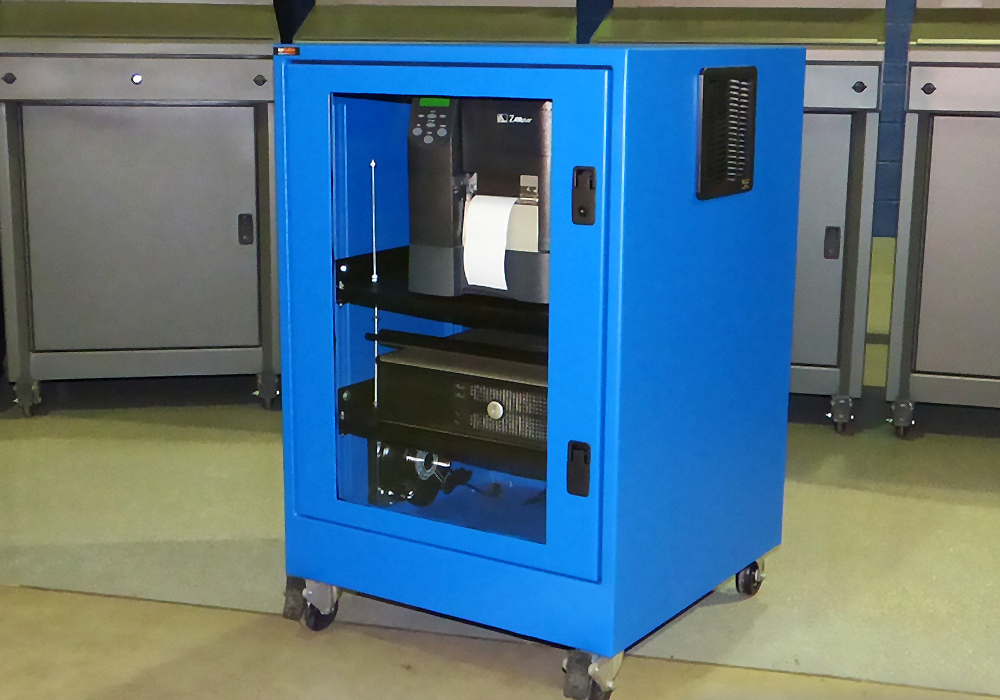
Heat and humidity can both negatively affect sensitive electronics. Excessive heat can contribute to overheating and equipment failure, while high humidity can create moisture and condensation concerns. Choosing the right computer enclosure and thermal management system can help keep electronics within their recommended operating conditions.
Managing Heat Inside a Computer Enclosure
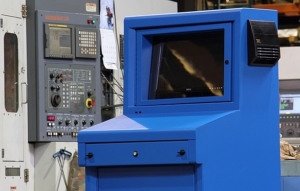
When choosing a computer enclosure, consider how much heat your equipment produces and the temperature of the surrounding environment. A filtered fan system may provide enough cooling when the outside air is cooler than the required internal temperature. Warmer conditions or higher equipment heat loads may call for another cooling method.
Always confirm the recommended operating temperature and humidity range provided by the equipment manufacturer when determining the appropriate thermal management system.
Appropriate cooling is absolutely necessary to keep electronics running smoothly and efficiently.
How Does Humidity Affect Electronics?
Technical specifications, published on a manufacturer website, will indicate the appropriate cooling and/or heating necessary to operate electronics within the suggested temperatures and humidity levels. It is no surprise that humidity can be extremely harmful to electronics, especially inside of a computer enclosure.
High humidity becomes particularly concerning when moisture or condensation develops around sensitive electronic components, potentially contributing to corrosion and equipment problems.
Controlling Humidity Inside a Computer Enclosure
In humid environments, a properly sealed computer enclosure paired with a suitable closed loop cooling system can help limit exposure to humid outside air. The right solution depends on the surrounding temperature, equipment heat load, and risk of condensation. Depending on the application, air conditioning or heating may be needed to manage conditions inside the enclosure.
What To Know Before Choosing Thermal Management 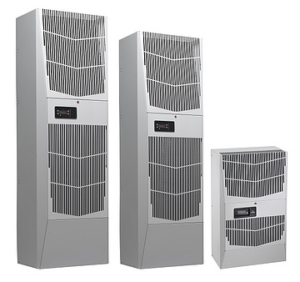
The key to effectively managing heat in manufacturing environments is to determine the right thermal management before deploying a computer enclosure.
The three most vital things that you need to know:
- Enclosure size: Height × width × depth
- Ambient temperatures: Highest and lowest expected temperature outside the enclosure and highest and lowest temperature allowed inside the enclosure
- Total equipment load in watts: The sum of all heat-producing equipment, which is typically available in the manufacturer’s published specifications
Enclosure construction (steel vs. aluminum vs. stainless steel) can also affect the necessary thermal management.
How Do You Calculate Cooling Requirements for a Computer Enclosure?
This simple-to-use formula is valuable for estimating the appropriate thermal management:
(Watts × 3.413) + (1.25 × area in square feet × ΔT temperature difference in degrees F) = BTU/hr
- Watts = The total heat load inside the enclosure (the sum of all heat-producing equipment)
- Area = Total exposed surface area of the enclosure expressed in square feet
- ΔT = The difference between the maximum expected degrees F temperature outside the enclosure and the maximum degrees F temperature allowed inside the enclosure
Choosing the Right Thermal Management for Your Computer Enclosure
Choosing the right enclosure and thermal management system from the beginning can help protect sensitive electronics, reduce unplanned downtime, and avoid unnecessary operating costs.
Need help selecting a solution for your equipment and environment? Explore our industrial computer enclosures or contact ITSENCLOSURES to discuss your application.
 ITSENCLOSURES, 2022
  Copyright 2023