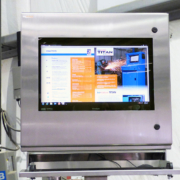
When to Replace Your Computer Enclosure Filter

Industrial computer enclosures help protect sensitive electronics from dust, dirt, grease, and other contaminants. When an enclosure uses a filtered fan system or an air conditioner with a filter, regular filter maintenance is an important part of keeping the cooling system working effectively.
Over time, filters collect airborne particles. If too much material builds up, airflow can become restricted and heat may collect inside the enclosure. This can affect the performance of computers, monitors, printers, and other electronics.
Knowing when to replace your computer enclosure filter helps maintain proper airflow, support effective cooling, and reduce the risk of equipment downtime.
How Often Should You Replace an Enclosure Filter?
There is no single replacement schedule that works for every industrial enclosure.
A computer enclosure in a dusty manufacturing facility may need more frequent filter maintenance than one in a cleaner environment. Grease, oil, lint, fibers, and seasonal changes can also affect how quickly a filter becomes clogged.
Start with the filter manufacturer’s maintenance recommendations and adjust your inspection schedule based on the conditions in your facility.
When an enclosure is first installed, check the filter frequently to see how quickly contaminants build up. This helps establish a maintenance schedule that fits your environment.
4 Conditions That Call for an Enclosure Filter Check
1. The Filter Is Clogged or Damaged
A filter packed with dust, dirt, or other debris can restrict airflow through the enclosure’s cooling system.
Some enclosure fan filters are designed to be cleaned and reused. Others must be replaced when they become dirty.
If your filter is reusable, follow the manufacturer’s cleaning instructions. Certain aluminum or mesh filters may be washable, but cleaning methods vary by material and design.
Replace the filter when it is damaged, worn, or no longer provides effective filtration after cleaning.
Never reinstall a damaged filter or assume that every filter can be washed and reused.
2. Airflow Has Decreased
A clogged filter makes it harder for a fan to move air through the cooling system.
When airflow decreases, the system may struggle to remove heat generated by the equipment inside.
Signs that warrant inspection include:
- Visible dust or debris buildup on the filter
- Reduced airflow at the fan or exhaust
- Higher internal enclosure temperatures
- Cooling equipment running more often than expected
- Filter material that is blocked, damaged, or heavily coated
Reduced airflow can have several causes, so check the fan, filter, and other components rather than assuming the filter is the only problem.
3. Grease or Oil Has Built Up
Dust and dirt are not the only contaminants that affect enclosure filters.
Manufacturing environments may contain airborne grease or oil that collects on the filter media. These substances can trap additional particles and restrict airflow.
In some cases, cleaning may not restore the filter’s performance.
If grease or oil buildup cannot be removed using the manufacturer’s approved cleaning method, replace the filter.
Facilities with these conditions may need a more frequent inspection and replacement schedule.
4. Seasonal or Operating Conditions Have Changed
The conditions surrounding an industrial enclosure may change throughout the year.
During warmer months, open facility doors may allow more dust, pollen, and outdoor debris into the work area. Changes in production activity, ventilation, or nearby processes can also affect the amount of airborne material reaching the filter.
A maintenance schedule that works during one season may not be enough during another.
Inspect the filter when conditions change and adjust the schedule based on the buildup you find. A seasonal change alone does not mean the filter needs replacement.
Can You Clean an Enclosure Filter Instead of Replacing It?
That depends on the filter.
Some reusable filters can be cleaned according to the manufacturer’s instructions. Others use filter media that must be replaced once it becomes clogged.
Before cleaning a filter, confirm:
- Whether the filter is reusable
- Which cleaning methods are approved
- Whether the filter must be fully dry before installation
- Whether the material shows signs of damage or wear
If a filter cannot be cleaned effectively, replace it with the correct filter for the system.
Using the right replacement filter helps maintain the intended airflow and filtration performance.
Building an Enclosure Filter Maintenance Schedule
A preventive maintenance schedule helps identify filter buildup before it causes a cooling problem.
The best schedule reflects your facility’s actual conditions rather than a fixed replacement interval.
Start with these steps:
- Review the manufacturer’s guidance. Check the inspection, cleaning, and replacement instructions for your filter and cooling equipment.
- Inspect frequently after installation. Watch how quickly dust, grease, or other contaminants collect.
- Track filter condition and airflow. Note when filters need cleaning or replacement and whether enclosure temperatures change.
- Adjust for changing conditions. Increase inspection frequency during dusty production periods or seasonal changes.
- Include filter checks in routine maintenance. Make enclosure filters part of the facility’s preventive maintenance process.
The goal is to clean or replace filters when needed without allowing buildup to affect the equipment inside the enclosure.
Supporting Reliable Enclosure Cooling
A filtered fan system helps remove heat while limiting airborne debris entering with the outside air. A clogged filter can reduce that airflow and allow heat to build up around the electronics.
Regular enclosure filter maintenance supports effective thermal management. However, the enclosure, cooling system, ambient temperature, equipment heat load, and required NEMA rating must also suit the application.
Find the Right Protection for Your Equipment
Keeping enclosure filters clean is an important part of protecting industrial electronics. ITSENCLOSURES can help you evaluate enclosure cooling options and determine an appropriate configuration for your equipment and operating conditions.
Explore our industrial computer enclosures or contact ITSENCLOSURES to discuss your application.
 ITSENCLOSURES, 2022
 Copyright 2023